
U.S. Diversity Visa photo
DV lottery photos,made simple.
Create your Diversity Visa photo online from a clear portrait. Preview the result before you pay, then download a 600 × 600 px JPEG up to 240 KB, plus a separate 4 × 6 inch printable sheet.
- Digital photo
- Print sheet
- Preview before you pay
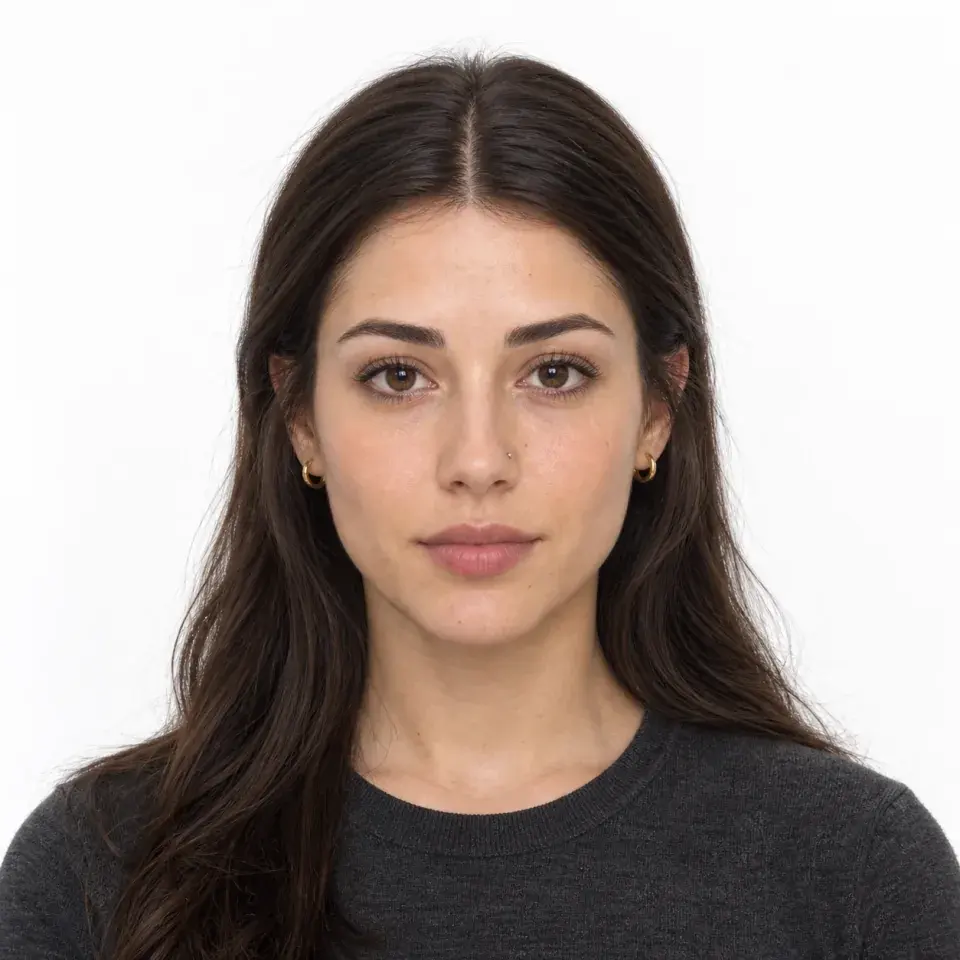
Your DV photo, ready to download.
Preview your prepared photo before you pay. Your purchase includes the digital entry photo and a separate printable sheet, with the full price shown at checkout.
Your Passfo downloads
DV entry photo JPEG
A 600 × 600 px color JPEG up to 240 KB, sized and formatted for the digital photo upload in your DV entry.
Printable photo sheet PNG
Two 2 × 2 inch photos on a separate 4 × 6 inch sheet, with cut guides for easy trimming.
After your download
Download your photo. Complete your entry.
Use your JPEG in the official DV entry form during the announced registration period. Passfo is an independent photo service; your purchase covers photo preparation and both download files.

DV photo example
Full face. Even light. Plain background.
How to take a DV lottery photo at home.
Start with a recent portrait and follow these simple photo requirements.
Use a plain background
Stand in front of a white or off-white wall without texture, objects, or shadows.
Find soft, even light
Face a window or use diffuse room light. Avoid harsh sunlight and shadows across your face.
Keep the camera at eye level
Ask someone to take the photo at eye level. Face the camera with your full head and shoulders visible.
Keep your face clearly visible
Remove glasses, keep both eyes open, close your mouth, and use a neutral expression.
Skip filters and beauty mode
Use a sharp color photo. Turn off beauty mode, filters, and edits that change your appearance.
How can I increase my DV lottery chances?
Selection is random within each region. Your gender, income, wealth, or purchase from Passfo does not give you an advantage in the draw. Country and regional allocations still apply.
Focus on a complete, accurate entry. Visa eligibility is assessed separately, and selection does not guarantee a visa.
- Can I submit more than one DV entry?
- No. The official instructions allow one entry per person during each registration period; duplicate entries disqualify that person.
- Can both spouses enter the DV lottery?
- Yes. Each eligible spouse may submit one separate entry, and each entry must list the spouse and qualifying children as the official instructions require.
- Can I get a Green Card if my parent is selected?
- You may qualify through a parent as an unmarried child, generally under 21, if listed on their entry when required. Both of you must meet the visa requirements. DV visas must be issued by September 30 of that program year, while visas remain available. A parent’s selection does not automatically give you a Green Card.
- What are the DV lottery photo requirements?
- Use a recent color portrait with a plain white or off-white background. The digital entry requires a square 600 × 600 px JPEG no larger than 240 KB. Passfo prepares the file size and format.
Before you submit your DV lottery entry.
Keep your digital photo handy as you complete the entry form. These quick answers help you choose the right file and plan your next step.
- When can I submit a DV lottery entry?
- Submit during the registration period announced by the U.S. Department of State. Check that year’s entry dates and eligibility instructions before completing the form.
- Which DV photo file should I upload?
- Choose the downloaded 600 × 600 px JPEG for the photo field. The print sheet is for paper copies; the watermarked preview is for reviewing your result.
- Can I prepare a DV photo for my spouse?
- Yes. Upload one portrait at a time and review each preview separately. Save each person’s JPEG with a clear filename so you can attach the right photo to each entry.
Create your DV lottery photo online.
Upload your portrait. Preview before you pay. Download your digital photo and print sheet after purchase.
Get both files on your result page after payment, with a delivery email for easy access. Save your downloads within 24 hours while the links are active.
Unpaid previews expire after 1 hour. After successful payment, your photos and files remain available for 24 hours; then access ends and automatic deletion begins.